Using window management tool in MacOS
September 20, 2023, Abdush Miah
Introduction
If you've always or previously been used to easy windows management you may be familiar with the pain of managing your windows efficiently in MacOS.
Luckily there is tooling available!
Summary
Although not the only available software out there, one I use is called rectangle.
Rectangle is a free open source windows management tool for MacOS. It's simple to use and can be setup using a few button clicks.
Step 1
Simply download the software from here: Rectangle
Step 2
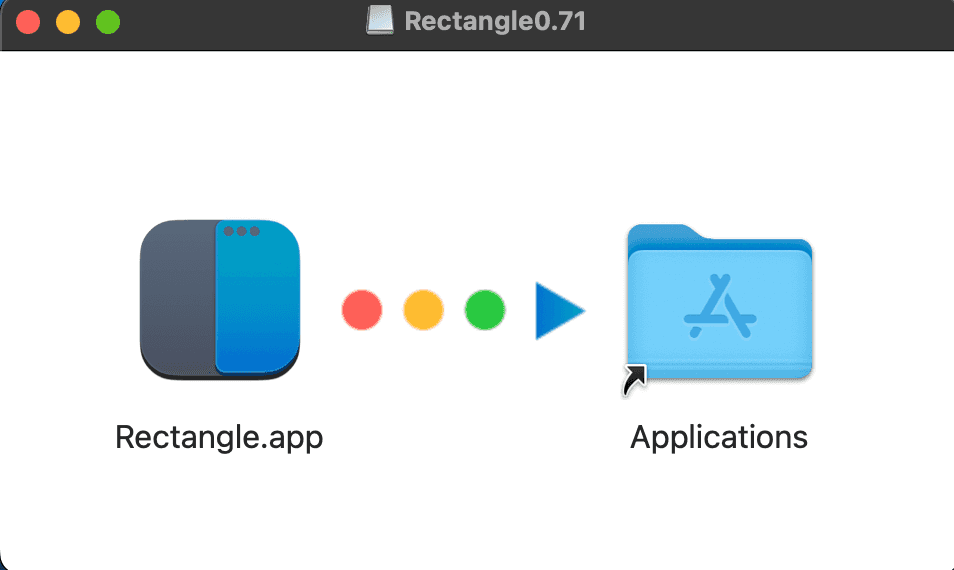
Double click the downloaded .dmg file and as advised drag this into your applications folder:
Step 3
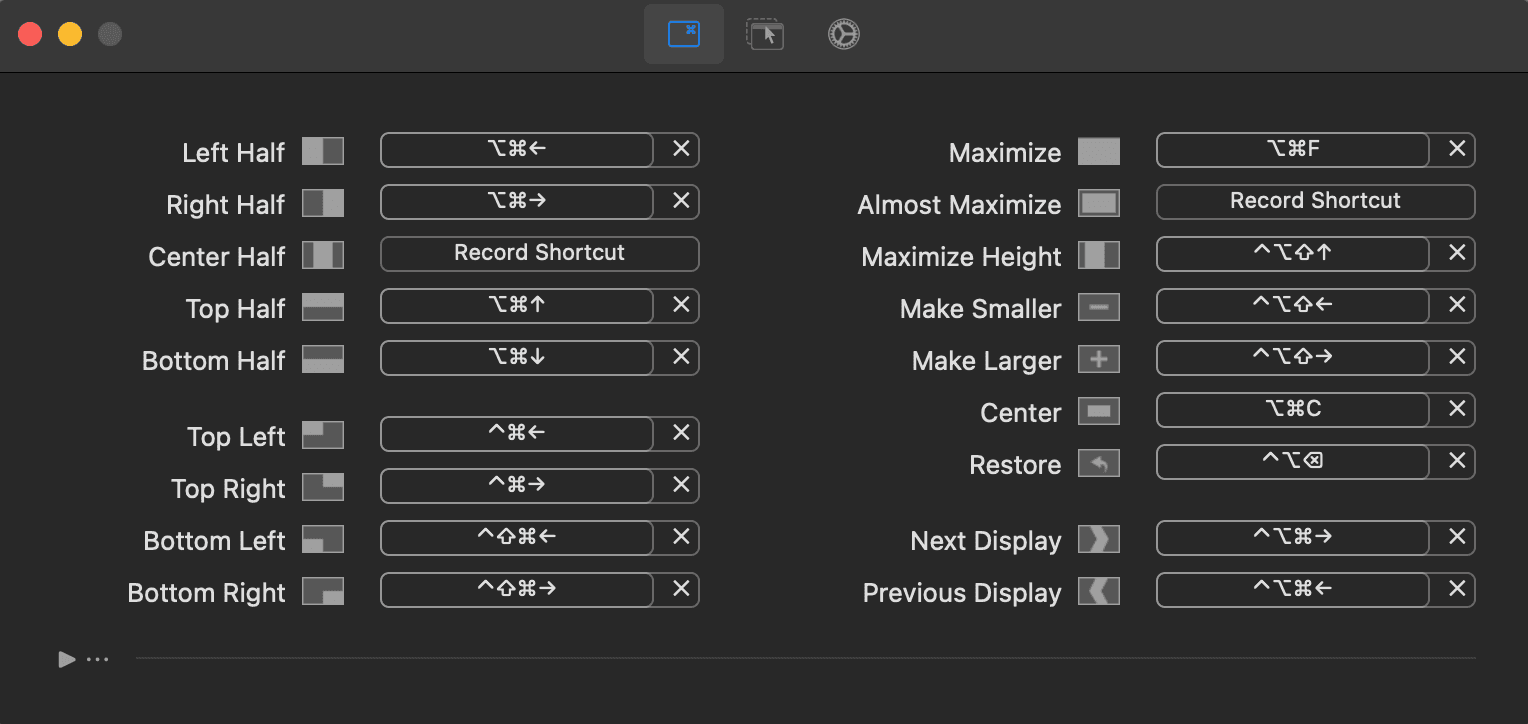
You can now search for 'Rectangle' in your 'Applications' and this should appear, select 'Rectangle' app from your applications list. You should then be able to see a list of the commands in order for you to be able to manage your windows easily.
Another really cool feature of this application is once installed, you will notice an icon in your top bar, you can click on this to easily move your windows to your desired location.
Simply click on your window -> then click on the 'Rectangle' app icon located within your top bar and then click on the option you'd like to set the window to:

Conclusion
Rectangle is a easy, user friendly window management tool for MacOS and works really well in my opinion. The installation process is very simple and the shorcuts are very easy to remember as well as easily accessible.
Although I've not personally tried them here are a few others which have some good user reviews:
MagnetYabai